
How to download file in Safari
PHP file download application for Safari :
1. To start with create a folder “filedownload”.
2. Create two new files inside the “filedownload” folder and call them file_download.php and xyz.csv.
3. In file_download.php file start typing the following:
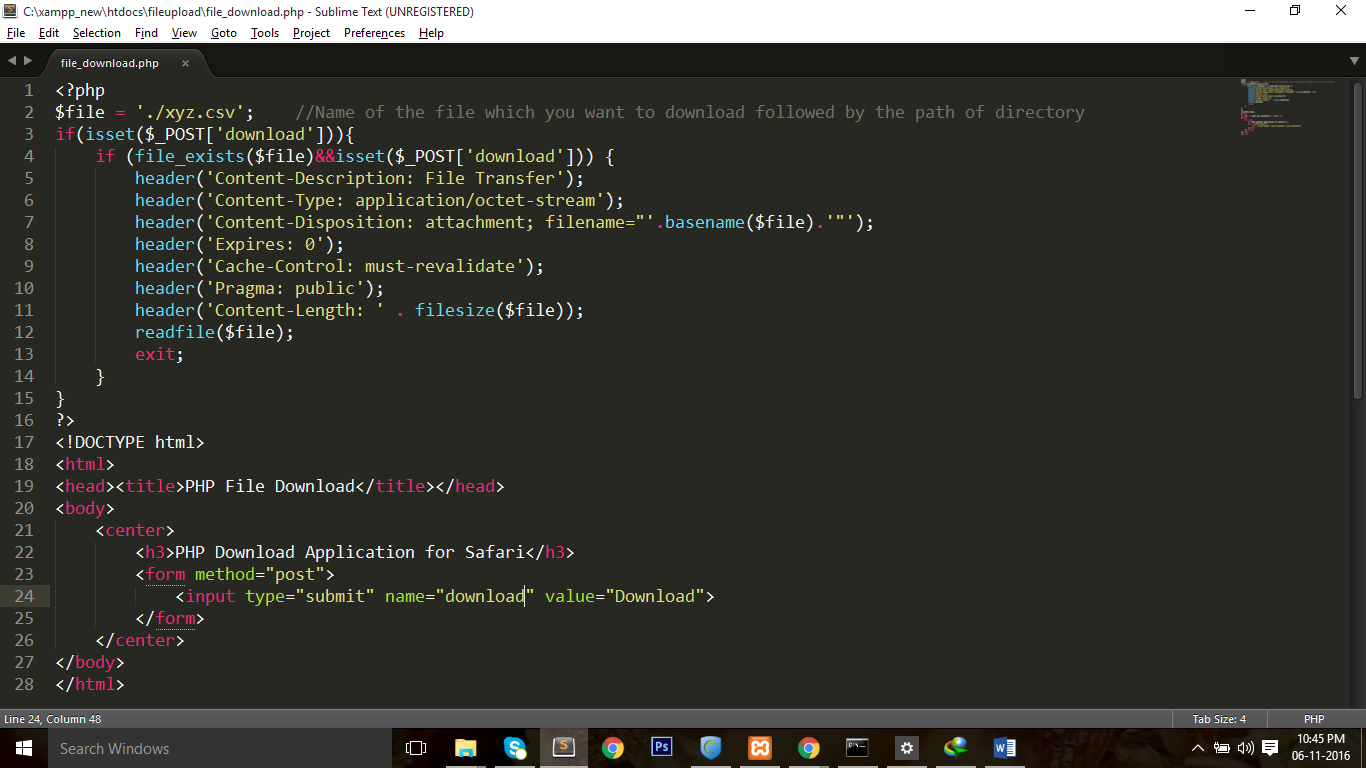
4. The 2nd file “xyz.csv” is the file which is going to be download.
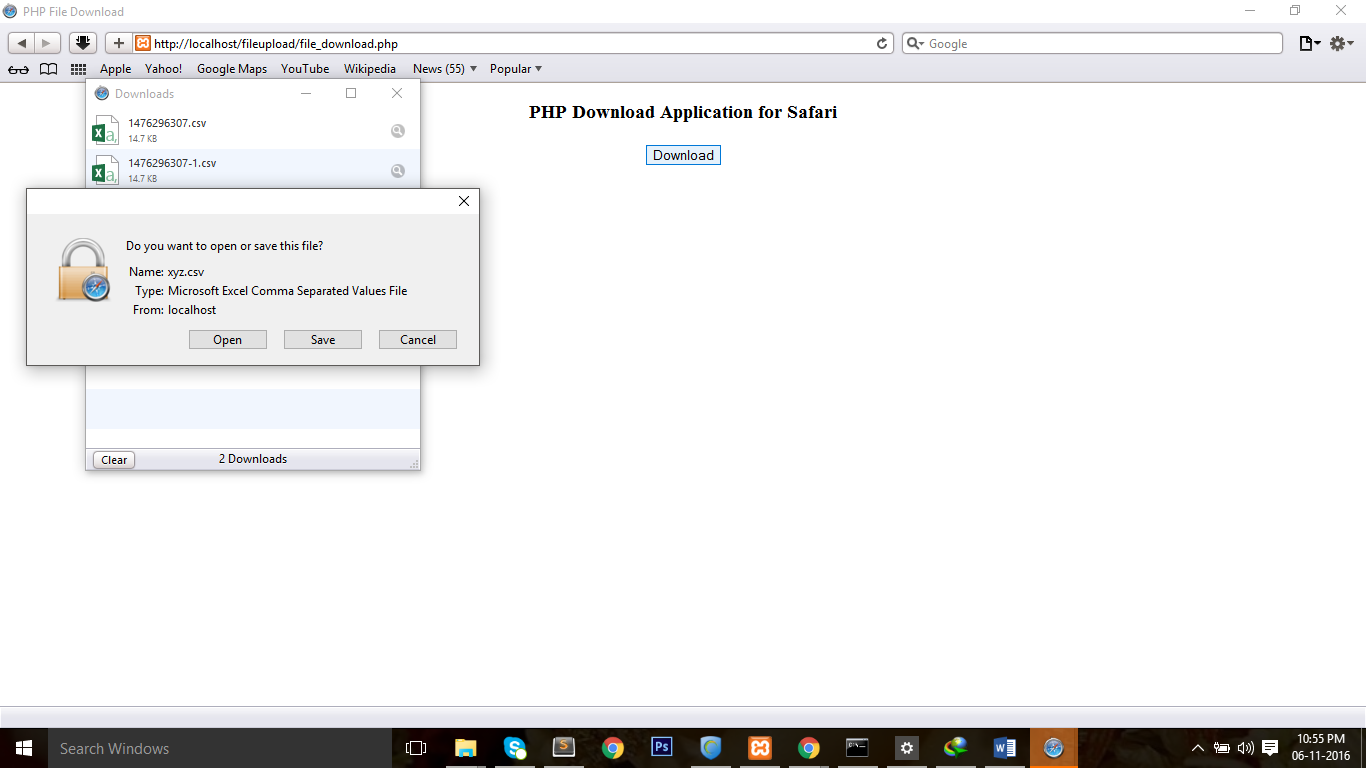
5. Now, Run file_download.php and click on download button then the file will be downloaded.Check the screenshot below:
May this blog will be useful to you.
Team Codeholic
PHP file download application for Safari :
1. To start with create a folder “filedownload”.
2. Create two new files inside the “filedownload” folder and call them file_download.php and xyz.csv.
3. In file_download.php file start typing the following:
4. The 2nd file “xyz.csv” is the file which is going to be download.
5. Now, Run file_download.php and click on download button then the file will be downloaded.Check the screenshot below:
May this blog will be useful to you.
Team Codeholic